Editing Avatar
Putting Textures
All you need to do is move your textures to <minecraft>/config/skinmatics/textures. PNG file only.
The Avatar Profile
Opening the avatar profile (file) should be like this
{
  "config": 2,
  "data": {
    "name": "",
    "maxTicks": 0,
    "features": {},
    "hiddenFeatures": []
  }
}
| Property | Function | Default (Type) |
|---|---|---|
| config | Just the config file version (do not edit this) | 1 (integer) |
| data | You can edit the contents inside | {} (see below) |
| name | The display name that is shown on the avatar card | Usually the same as your "Display Name" or "Avatar Path" (string) |
| features | The avatar feature | See Features |
| hiddenFeatures | Features that are hidden by default (no toggling currently) | [<string>] |
Refresh resource pack (F3 + T by default) to apply your changes in-game (also reload your avatar textures)
Extra: Applying Avatar To Others (Players And Mannequins)
If you've been in the keybind menu, you might seen "Apply Own Avatar To Targeted Player" and "Remove Targeted Player's Profile".
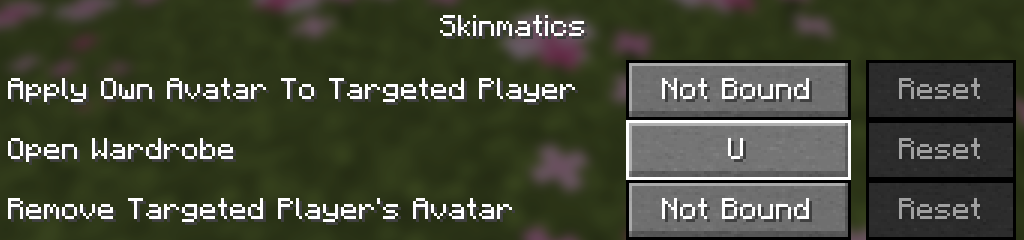
This feature allows you to apply your own avatar to other players (or the Mannequin entity) temporarily using your currently selected avatar. This was made for you to preview your avatar without the need to go to third-person and lowering your FOV.
Try summoning mannequin using /summon minecraft:mannequin, target your crosshair to the entity and press the "Apply Own Avatar To Targeted Player" key with an active avatar.
This extra feature also works in recording mod like ReplayMod and Flashback (experimental)